
Be There
Blog
Your Practical Guide to Creating a Budget for Events
By BeThere
Dec 10, 2025 • 25 min read
Share this post


Let's get one thing straight: a solid event budget isn't just a spreadsheet of expenses. It's your strategic blueprint. This document is what turns your vision into a real, measurable success, shaping everything from the attendee experience to your final return on investment.
Your Event Budget Is a Strategic Roadmap, Not a Restriction
Too many event planners see the budget as a set of handcuffs, a document that just tells them "no." I think it's time we completely reframe that idea. A well-built budget is actually one of the most empowering tools you have. It’s the plan that makes sure every single dollar you spend is directly tied to your most important business goals.
Whether you're trying to generate a flood of new leads, give your team a massive morale boost, or create a brand moment people will talk about for years, your budget is what gets you there. It forces you to get crystal clear on your priorities and make smart, intentional choices from day one.
✦Aligning Spending with Core Objectives
Stop thinking about your budget as a simple list of costs. Instead, look at each line item as an investment in a specific outcome. I like to call this value-based budgeting. It completely shifts the conversation from "How much does this cost?" to "What value will this bring to our event's goals and, more importantly, to our audience?"
Think about it this way: spending a bit more on a truly dynamic keynote speaker could have a massive impact on lead generation. On the other hand, cutting back on something less critical, like generic directional signs, probably won't hurt the core experience one bit.
A budget isn't just for tracking what you've spent. It's about making conscious decisions that squeeze the most impact out of every dollar and ensure your spending serves the event's mission.
Adopting this mindset helps you make much smarter decisions with your money. And it’s clear that companies are seeing the value. The global events industry has exploded, growing from $736.8 billion in 2021 to an estimated $1.227 trillion in 2024. Projections show it hitting $1.347 trillion in 2025. This isn't random—it shows a clear trend of businesses investing more because they're seeing a real return. You can dig into more insights on event industry growth to see how strategic spending is fueling this expansion.
✦A Mindset for Success
When you start treating your budget like a strategic roadmap, everything changes.
- You can justify spending. It's much easier to get buy-in from stakeholders when you can clearly show how an expense connects directly to an expected outcome.
- You actually enhance creativity. Believe it or not, limitations can spark the most innovative ideas. A defined budget pushes you to find clever ways to hit your goals without just throwing money at problems.
- You can measure your true ROI. When every dollar is tied to an objective from the start, calculating your return on investment becomes a much more accurate and meaningful process.
At the end of the day, a thoughtfully planned event budget is your first and most critical step toward pulling off an impactful and financially successful gathering.
Building Your Event Budget from the Ground Up
Staring at a blank spreadsheet to create an event budget can feel daunting, like you’re at the bottom of a mountain looking up. But like any big undertaking, the secret is to break it down. Your very first move should be to pin down clear, measurable goals for your event. These goals will be your North Star, justifying every line item and guiding every spending decision you make.
Once your objectives are solid, the real work begins: cataloging every single potential cost. It's time to brainstorm and do some digging. List everything from the obvious big-ticket items like the venue down to the small, easily forgotten details like name badge printing. And don't just think in terms of in-person events; you've got to account for the unique expenses that come with virtual and hybrid formats, too.
✦Differentiating Between Fixed and Variable Costs
A smart way to get a handle on that long list of expenses is to sort them into two buckets: fixed and variable costs.
- Fixed Costs: These are the numbers that won’t change, no matter if 50 or 500 people show up. Think of your venue rental, the keynote speaker's fee, or your subscription to an event management platform. They’re predictable and form the backbone of your budget.
- Variable Costs: These expenses are directly tied to your attendee count. The classic example is catering—you pay per head. Other variable costs include swag, printed materials, and sometimes even the number of on-site staff you need.
Getting this distinction right is crucial. It helps you figure out your break-even point and lets you forecast how a spike or dip in attendance will affect your bottom line.
✦Researching Vendor Pricing and Industry Benchmarks
With your cost categories in place, it’s time to get some real numbers. This can feel like a lot, so just start with your biggest expenses. I always recommend getting quotes from at least three different vendors for major items like A/V production and venue hire. This gives you a realistic price range and, just as importantly, some leverage for negotiation.
It also helps to know where you stand in the grand scheme of things. For context, a typical conference in the United States runs about $1.89 million for an average of 601 attendees, which works out to roughly $3,144 per person. When you look at how that money is spent, food and beverage usually takes the biggest slice of the pie at 29.9%, with audio/visual services coming in second at 15%. You can dive deeper into conference budget data for 2025 to see how your own plans stack up.
Building a solid event budget isn't guesswork. It's a methodical process of setting goals, identifying every cost, and doing your research. It’s how you turn a blank page into a powerful strategic tool.
The entire event industry is on a serious growth trajectory, which shows just how much businesses are willing to invest in well-executed gatherings.
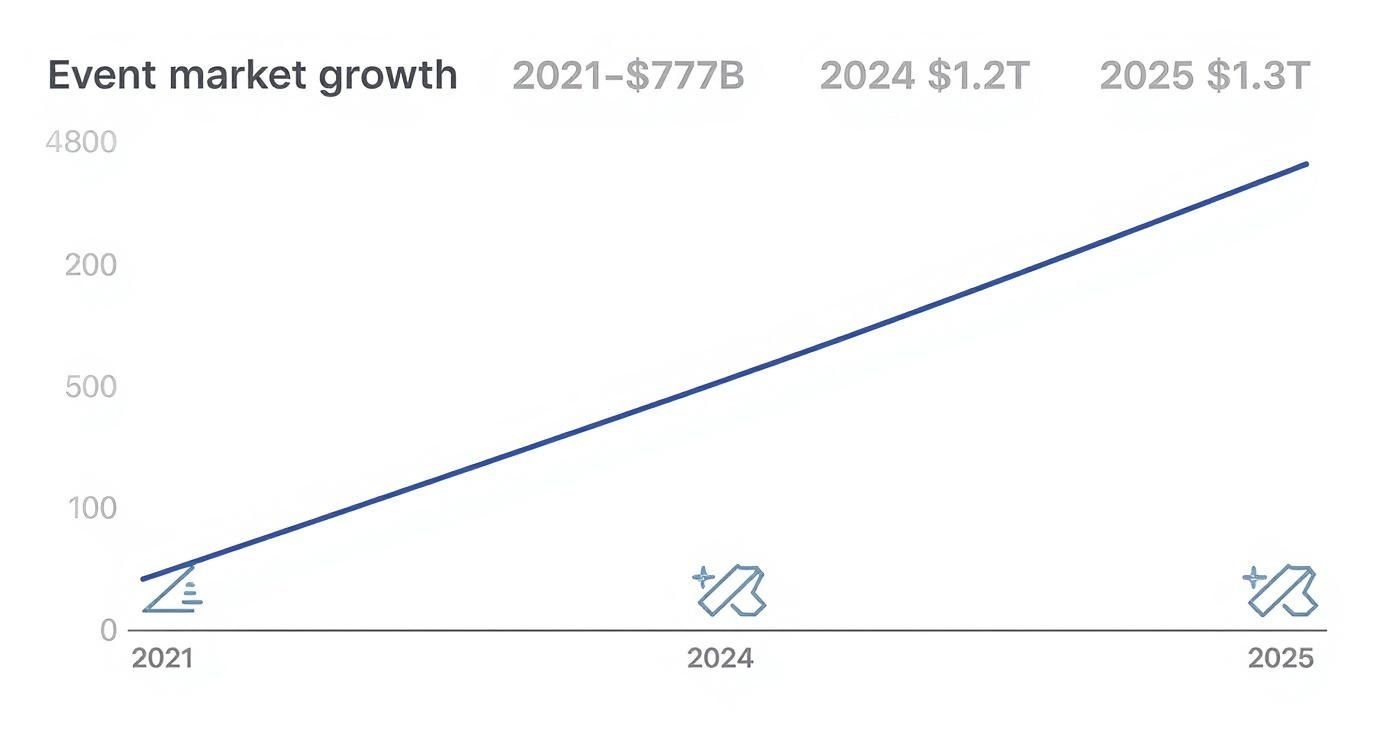
This jump from $737B in 2021 to a projected $1.3T in 2025 makes it clear: smart event spending is seen as a major driver of business success.
To give you a starting point, here’s a look at how a budget for a typical corporate conference might be allocated.
Sample Event Budget Allocation Breakdown
| Budget Category | Typical Percentage Allocation | Example Line Items |
|---|---|---|
| Venue & Catering | 35-45% | Room rental, F&B, AV equipment, Wi-Fi, security |
| Marketing & Promotion | 10-15% | Digital ads, email campaigns, social media, printing |
| Speakers & Talent | 10-15% | Speaker fees, travel, accommodation |
| Technology | 10-12% | Event app, registration software, virtual platform |
| Staff & Management | 8-10% | Event planner fees, on-site staff, travel |
| Miscellaneous | 5-8% | Swag, signage, decor, insurance |
| Contingency Fund | 10-15% | Reserved for unforeseen expenses |
Remember, this is just a benchmark. Your own percentages will shift based on your event's specific goals and format.
✦Streamlining Internal Event Coordination and Costs
Here’s a hidden cost that often gets missed: the sheer amount of administrative time that goes into internal event coordination. If your company lives in Slack and Google Calendar, you know the drill. The endless back-and-forth, manual RSVP tracking, and constant calendar updates add up to dozens of lost productivity hours—a very real cost to the business.
This is where a tool like Be There is incredibly useful. It's designed specifically for companies that rely on Slack for communication and Google Calendar for scheduling. Instead of drowning in email threads and direct messages, it allows you to create, publish, and manage all your company events right from Slack.
For instance, pulling together a last-minute team happy hour becomes effortless. With Be There, you create the event in a Slack channel, invite the right people, and watch as the RSVPs automatically sync with everyone's Google Calendar. This integration is extremely handy because it eliminates the need to chase people down or manually update invites, saving a surprising amount of time and making your event budget work smarter.
✦The Non-Negotiable Contingency Fund
I can't stress this enough: no event, no matter how perfectly planned, is safe from surprises. A key vendor might cancel last minute, you could have a technical glitch, or a sudden flood of late registrations could throw your variable costs out of whack. This is exactly why a contingency fund isn't a "nice-to-have"—it's an absolute must.
It's your event's insurance policy. A good rule of thumb is to set aside 10-15% of your total budget for these curveballs. If you're planning a first-time event or dealing with a lot of unknowns (like an outdoor venue where weather is a factor), I'd even push that to 20%.
This fund is the safety net that stops a minor hiccup from becoming a full-blown crisis. It's what separates a well-managed budget from a house of cards.
Budgeting for Virtual and Hybrid Events? It’s a Whole New Ballgame
When your event isn't purely in-person, the budget rules get a complete rewrite. Planning for virtual and hybrid events means swapping out familiar costs like catering and massive venue rentals for a fresh set of digital-first expenses. It’s not necessarily about saving money; it’s about strategically reallocating it to create a killer experience for everyone, no matter where they’re tuning in from.
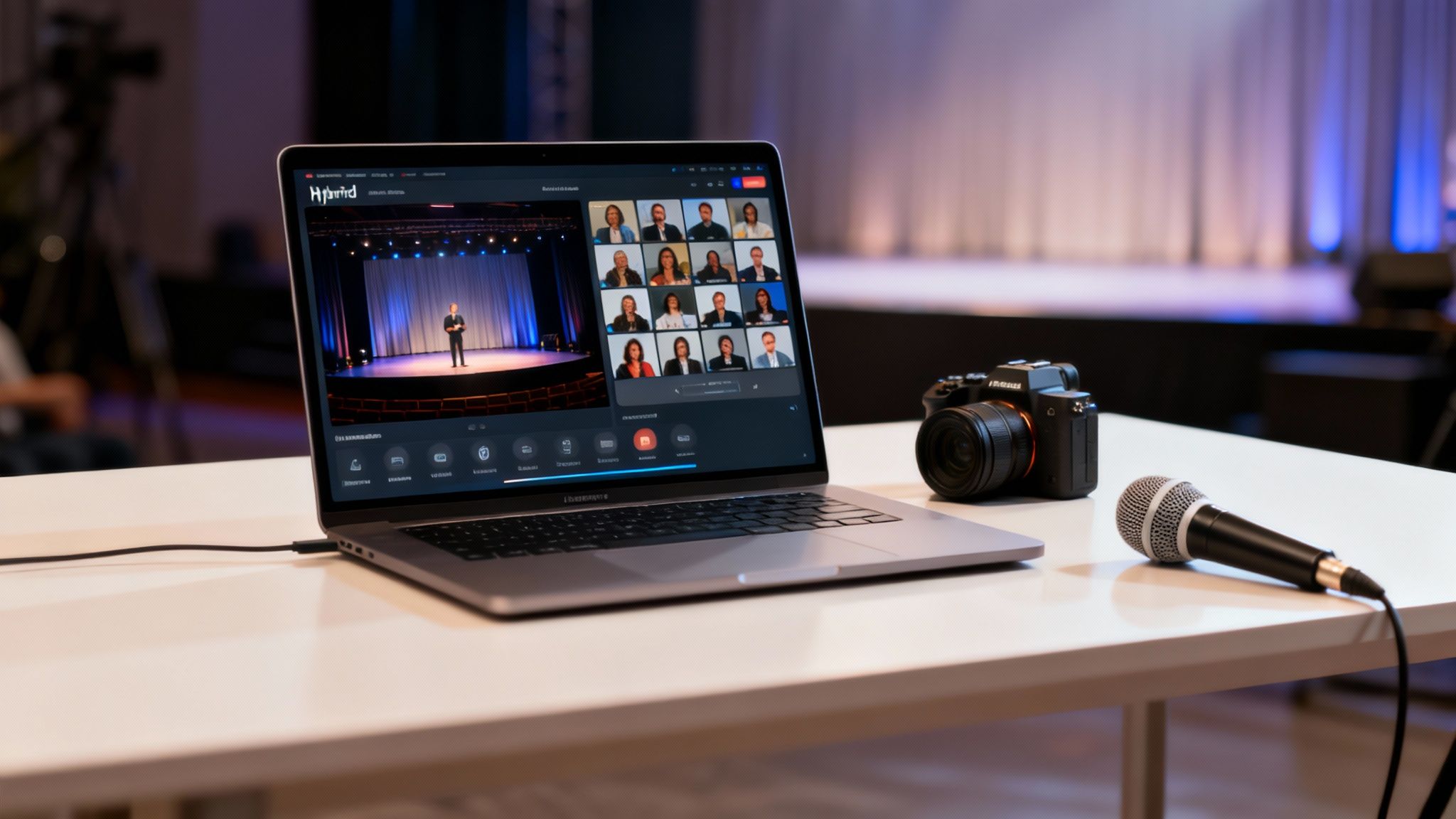
This shift is a big deal for the industry. The virtual events market is on track to hit $236.69 billion in 2025 and is projected to rocket to $537.18 billion by 2029. With a whopping 74.5% of event planners baking hybrid strategies into their 2025 plans, it's obvious this isn't just a passing phase. This is how events are done now.
✦Your New Biggest Line Items: Tech and Production
For any virtual or hybrid event, technology will almost always be your single biggest investment. You need to start thinking of your event platform as your new "venue"—it’s the digital space where everything happens, and you'll need to allocate a good chunk of your funds here.
But the platform is just the start. High-quality production is absolutely non-negotiable. You have to budget for professional-grade cameras, clear microphones, and proper lighting. This is what separates a polished, engaging broadcast from a grainy, low-effort webinar that people will tune out of in minutes.
A hybrid event is really two events running at the same time. Your budget has to reflect that reality—you're creating two distinct but equally compelling experiences for both your in-person and remote audiences.
This means you can’t just point a laptop at the stage and call it a day. A dedicated production team or A/V partner who gets the nuances of live streaming is a must-have in your budget.
✦Creating a Seamless Experience for Everyone
The real challenge—and where your budget needs to be smart—is making the experience feel equal for both audiences. You want your remote attendees to feel like they have a front-row seat, not like they're just peeking through a window.
Here’s where you should be putting your money:
- Dedicated Tech Support: Have a team on standby to solve technical glitches for virtual attendees in real time. This isn't a luxury; it's a critical expense that saves your event from a technical meltdown.
- Interactive Tools: Set aside funds for tools that bridge the physical and digital divide, like live polls, Q&A modules, and virtual networking lounges.
- A Virtual Emcee: Think about hiring a host specifically for the online audience. They can guide people through the digital experience, spark conversations, and make sure everyone feels seen and included.
For teams already juggling Slack and Google Calendar, adding the coordination for a hybrid event can become a massive time-suck—and that's a hidden cost that chews through your budget. This is exactly where a tool like Be There comes in. It's very handy for this scenario. Imagine setting up a pre-event briefing for your virtual speakers and staff right in Slack, and having all the RSVPs automatically sync to everyone’s Google Calendar. That kind of automation frees up hours of your team's time, which is a direct saving you can put back into your event.
✦Making Smart Financial Trade-Offs
While you’re adding new tech costs, you get to cut back on others. Your food and beverage budget will almost certainly shrink since you're feeding a smaller in-person crowd. Venue costs might also be lower if you don't need as much physical space. For a deeper dive on this, check out our guide on how to plan virtual events.
The trick is to reinvest every dollar you save directly into the virtual experience. The money you didn't spend on catering? That should go toward a better streaming platform or a more responsive tech support team. It’s a strategic reallocation, not just a cost-cutting exercise, and it's the key to creating a budget that works for today's blended events.
Smart Ways to Save Money Without Sacrificing the Experience
A tight event budget doesn't have to mean a boring event. The real secret is knowing where to spend your money—the things your attendees will actually care about—and where you can be clever and trim the fat on things they won't even notice. It's about being strategic, not just cheap.
Think of it less like cutting costs and more like optimizing value. You want to pour your budget into the elements that make the experience memorable, like a fantastic keynote speaker or a super smooth check-in. At the same time, you have to be ruthless about cutting expenses that don't add anything your guests can see or feel. This way, every single dollar is pulling its weight.
✦Get Smart with Your Vendor Negotiations
Vendors are almost always the biggest ticket items on your budget, so they're the first place you should look to find savings. But good negotiation isn't about trying to get the lowest possible price; it’s about finding a deal that works for both you and them.
Here are a few tactics that have worked for me:
- Offer multi-event deals. If you know you're running a few events this year, bundle them! Go to your favorite venue or AV company and offer them a contract for all of them. They get guaranteed business, and you get the leverage to ask for a better rate on each one.
- Take advantage of the off-season. Every venue has its high and low seasons, and even unpopular days of the week. Hosting your event on a Tuesday instead of a Friday, or in a less busy month, can easily save you 20-30% on the rental fee alone. It never hurts to ask about their off-peak pricing.
- Show your cards (a little). Be upfront about your budget limitations. Sometimes, a vendor can suggest a creative workaround you hadn't thought of, like a slightly different catering menu or a modified tech package that still gets the job done for less.
As you build out these strategies, it's also worth exploring practical methods for operational cost reduction with Excel and AI to uncover hidden efficiencies that don't impact the attendee experience.
✦Stop Wasting Time on Internal Coordination
One of the sneakiest drains on an event budget is administrative time. If your company runs on Slack and Google Calendar, you know how much manual work goes into planning even simple internal events like team workshops or all-hands meetings. Every hour someone spends chasing down RSVPs, manually updating calendar invites, or answering the same questions over and over in different DMs is a real, tangible cost.
This is where a tool like Be There can be a game-changer for your budget, as it is very useful for companies using this exact tech stack. It's built to live right inside Slack and Google Calendar, automating all that tedious coordination that eats up so much time. Instead of drowning in a mess of DMs and email chains, you can manage the entire event right from a single Slack channel.
Picture this: you need to set up a company-wide town hall. With Be There, you create the event, invite the right Slack channels, and just like that, the RSVPs start rolling in and automatically populating everyone's Google Calendar. No more manual tracking. No more sending a dozen reminders. It just works.
This isn't just about convenience; it's a direct budget saver. By cutting out hours of admin work, Be There frees up your people to focus on things that actually make the event better, like finding a great speaker or polishing the agenda. It turns all that wasted time back into productive energy, which makes your budget go a whole lot further.
✦Get Creative with Content and Sponsors
Beyond vendors and internal workflow, you can find huge savings by just thinking differently about your content and partnerships. Don't let valuable assets gather dust.
For example, that big keynote presentation you paid for? That’s not a one-and-done deal. Slice and dice the video recording into a dozen different marketing assets—short clips for social media, a summary for a blog post, a lead-gen webinar, or even an internal training video. Suddenly, the ROI on that initial production cost skyrockets.
Sponsorships can be more than just a logo on a sign, too. Look for partners who can offer in-kind value that actually improves the event. Maybe a local coffee shop would love to sponsor the breakfast bar in exchange for some brand exposure, or a tech company could provide charging stations for free. These kinds of partnerships cut your direct costs while giving attendees something they'll genuinely appreciate.
Save Time and Money with Smarter Event Coordination
Let's talk about one of the biggest hidden costs that can absolutely wreck an otherwise perfect event budget: administrative overhead. If your company lives in Slack and Google Calendar, you know the drill. Trying to coordinate anything from a team lunch to a company-wide town hall can quickly dissolve into a chaotic mess of email chains, manual RSVP tracking, and endless calendar tweaks.
This isn't just an annoyance; it’s a massive drain on your company's resources. Every hour a team member spends chasing down responses or updating invites is an hour they're not spending on work that actually moves the needle. That lost productivity is a real, tangible cost that silently eats away at your budget without adding a single ounce of value to the event itself. When you add it all up across multiple events, the financial hit is staggering.
✦The True Cost of Manual Coordination
Think about a classic scenario. Your HR manager needs to organize a quarterly team-building workshop. They send out a calendar invite, then post about it in five different Slack channels to make sure everyone sees it. For the next week, their DMs are a constant flood of questions, "maybes," and last-minute changes. They’re stuck spending hours cross-referencing a spreadsheet with calendar responses just to get a final headcount for the caterer.
This manual grind is more than just inefficient—it’s a recipe for errors. A miscounted RSVP list can easily lead to overspending on food or booking a space that's too small. Both outcomes directly hit your budget. It’s a workflow that feels like it was designed to create stress and budget overruns.
A more integrated and automated workspace, where the tools you already use work together, should be the goal.
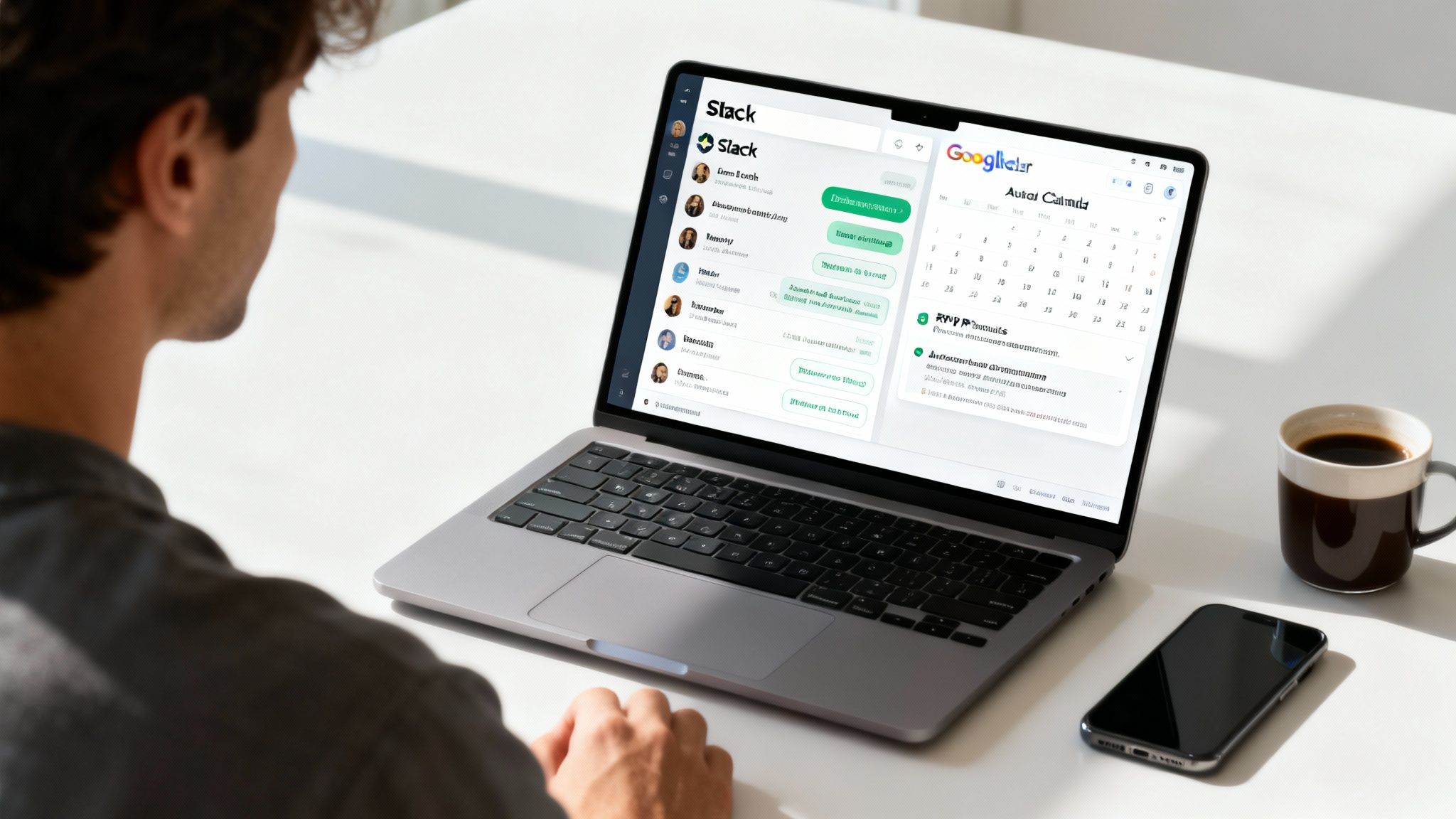
This is precisely the kind of friction that smart tools are built to solve. By bringing event management directly into the platforms where your team already works, you can reclaim those lost hours and keep your budget safe.
✦Automating Your Workflow Inside Slack and Google Calendar
This is where a tool like Be There can be a financial game-changer, especially for companies running on Slack and Google Calendar. It was built specifically to automate the entire coordination headache right inside the ecosystem your team uses all day, every day. For businesses that use both tools, it’s an incredibly handy solution that makes them work together seamlessly.
Imagine this: you create an event, invite the right Slack channels, and then just watch as RSVPs are automatically collected and synced to everyone’s Google Calendar. All in a few clicks.
The goal is to make event coordination invisible. When the process is seamless and automated, you free up your team to focus on what actually matters—improving the event experience and making your budget stretch further.
This kind of automation is a direct cost-saving strategy. By slashing the hours spent on administrative tasks, you’re reallocating that time (and salary cost) toward more impactful work.
✦How Smarter Coordination Protects Your Event Budget
When you automate the tedious parts of event planning, you start to see a positive impact on your budget in a few key ways:
- Accurate Headcounts: Automated RSVP tracking gives you a real-time, accurate headcount. No more guessing. This means you order the right amount of food, book the right size space, and stop paying for no-shows or scrambling for last-minute additions.
- Reduced Administrative Waste: You completely cut out the hidden cost of manual labor. Your team members can stop playing event administrator and start being strategic planners—negotiating with vendors, improving the agenda, or focusing on their actual jobs.
- Improved Engagement and Attendance: With automatic reminders and one-click calendar integration, people are far more likely to see the invite, RSVP, and actually show up. Better attendance means you get a much better return on every dollar you spend.
Think of streamlined coordination as a core part of your financial strategy for events. Just like you create a detailed budget, optimizing your workflow is essential for success. You can see how this fits into the bigger picture in our guide on project management for events.
Ultimately, by bringing in a tool like Be There, you transform a chaotic, time-sucking process into a simple, efficient one. That shift lets you save money, reduce stress, and ensure your event budget is spent creating great experiences, not just managing logistics.
Presenting Your Budget and Proving Event ROI
You’ve done the heavy lifting and built a thoughtful, strategic budget. Now comes the moment of truth: getting stakeholders to sign off on it. This is where your spreadsheet becomes more than just a list of numbers; it's your main tool for persuasion.
Presenting a budget isn't about walking someone through a spreadsheet line by line. It's about telling a story. You need to connect every dollar spent back to the "why" of your event. If the goal is generating new leads, you have to clearly show how the investment in a top-tier keynote speaker or a slick event app gets you closer to that goal.
✦Crafting a Clear Budget Summary
Let's be real: your executives are busy. They don’t have time to get lost in the weeds of a 100-line item budget. Your first job is to give them a high-level summary that gets straight to the point.
This executive summary should be your elevator pitch, highlighting just a few critical pieces of information:
- Total Investment: The final, all-in number.
- Top-Line Expenses: Roll up your costs into big-picture categories like Venue & Catering, Technology, and Marketing.
- Expected Outcomes: State your goals plainly (e.g., generate 200 qualified leads, hit a 90% attendee satisfaction score).
- Cost Per Attendee: This is a simple, powerful metric that makes the investment easy to grasp.
The aim is to give decision-makers everything they need in the first two minutes. If you’ve already created a solid event marketing plan, you can pull your key objectives directly from there to build a stronger case.
A great budget proposal anticipates the questions your stakeholders will ask. By linking spending directly to expected business results, you shift the conversation from cost to investment.
✦Measuring and Reporting on Event ROI
After the last session ends and the thank-you emails go out, your work on the budget still isn’t done. Now you have to prove it was money well spent. Calculating your Return on Investment (ROI) is crucial—not just to justify your efforts, but to make the case for an even better budget next time.
To do this right, you need to track how your different investments paid off. Getting familiar with the basics of conversion tracking for marketing efforts can be a huge help here, giving you real insight into what promotions and follow-ups actually worked.
Start by focusing on a few core metrics that tell a clear financial story:
- Cost Per Lead (CPL): This one's easy. Just divide your total event cost by the number of qualified leads you generated.
- Customer Acquisition Cost (CAC): Take it a step further. For the leads that actually became customers, divide the event cost by the number of new customers you signed.
- Attendee Satisfaction Score: Don't forget the qualitative side. Post-event surveys are your best friend for gathering this data. High satisfaction often leads to stronger brand loyalty and future sales.
Pull all this data into a clean, visual post-event report. The most effective way to present it? Put the original goals from your budget proposal right next to the final results. That side-by-side comparison is the most powerful way to showcase the financial success and strategic value of your event.
Your Top Event Budgeting Questions Answered
Even with the best template in hand, you're going to have questions as you map out your event budget. That's just part of the process. Getting a handle on these common issues upfront can save you a lot of headaches (and money) down the line.
Let's dive into a few questions I hear all the time.
✦What’s the Biggest Hidden Cost in an Event Budget?
Time and time again, the biggest surprise expense is Audio/Visual (AV) services. The initial quote you get is often just a starting point. It might cover the projector, but what about the extra lapel mic for your guest speaker? Or the technician you'll need on-site all day to handle transitions? Those are the add-ons that can blow up your budget.
My advice? Always demand an itemized quote. Go through it line by line with your AV provider and ask, "What isn't included here?" That one question can save you from a nasty surprise when the final bill arrives.
✦How Much Should I Budget for Contingency?
If you don't have a contingency fund, you don't really have a budget. It's that simple. For most events, setting aside 10-15% of your total budget is a safe bet. This isn't "extra" money; it's your safety net for when a supplier raises their prices or a piece of tech decides to fail at the worst possible moment.
If you're planning an event for the first time, or it has a lot of unpredictable elements—like an outdoor festival—I'd bump that up to 20%. You'll sleep better at night. It's far better to finish with a surplus than to have to scramble for cash mid-event.
✦How Do I Actually Track Spending Against My Budget?
Tracking vendor invoices is one thing, but what about the countless hours your team spends on coordination? For teams that basically live in Slack and Google Calendar, that administrative time is a massive—and often invisible—drain on resources.
This is exactly why we built Be There. It's not just another budgeting tool; it tackles the coordination chaos that eats up your team's valuable time. For companies using both Slack and Google Calendar, it is an especially handy tool because it automates the entire process right within the platforms they already use.
When you cut out hours of manual work, you get a much truer picture of your event's total cost. Your budget should reflect what you're spending on the experience itself, not just on the logistics behind it.
Everything syncs directly from Slack to Google Calendar, so you can see your real-time headcount instantly. No more chasing down responses or over-ordering catering based on a vague guess. It turns a painful tracking task into an automated process that protects your bottom line.
Ready to stop wasting time on manual coordination and protect your event budget? See how Be There makes it easy to manage all your company events right from Slack. Try Be There for free today
Share this post

Planning your internal events has never been easier!
No more scheduling headaches—our Slack-connected web app keeps things simple. Less email, more fun! 🚀
 Prefer a quick walkthrough?